[Tech Tuesday] Loosen Facebook’s Uncomfortable Grasp On Your User Data

Somewhere between the excitement of the pure breadth of the internet and the desire to connect communities within it, Facebook was born.  And the world as we once knew it has never been the same.  My friends and I have casually joked about how we sit on the edge of an era, and we’re watching our counterparts on either side crumble from either too much, or too little, engagement with it.  The irony of social media’s evolution lies in two places.  First, instead of growing up with physical board games like Scrabble, people are  playing games like ‘Words with Friends‘ with absolute strangers that they have no intention of meeting.

Secondly, there’s this: over the course of our history as a country, Americans have felt a pretty specific way about Big Brother keeping all eyes and ears out of their business. Historically, the people to report for the census have by in large been representative of the middle to upper class white Majority in America.  By in large, it’s been the under-educated,the  low-income and first generation citizens of this country who either lack the capacity to fill out the forms, our a residence at which to receive the census.  As a Statistician and a Californian, I don’t put much stock in anything beyond AC Nielsen viewer data; but apparently the government doesn’t either, because they’re currently sitting on and turning to a wealth of data that we don’t even realize we’re contributing to on the daily.  Yep, you guessed it: Facebook.

Let’s be honest with ourselves for a moment, the government has always wanted this demographic data on citizens – but with something like Facebook, where we as users choose what to share, or not share – if what they originally wanted was a molehill, what we’re now giving them is an entire mountain of information.  Every click, every mouse hover, every statement typed out and then deleted – it’s stored somewhere.  All of your friends, and then non-friends, and even those sometimes boyfriends and your now significant other, they’ve become data points:  documented, analyzed and stored forever.  On your parents, your loved ones, your future children, your feelings – they’re bitcode players in this new cyber-board game of the world.

According to Martin Smith, the producer of the exceptionally well done PBS Frontline series on ‘The United States of Secrets‘: “If the FBI came to your door and demanded photos of your wedding, the names and daily habits of your children, the restaurants you frequent, who you’ve called and texted for the past month, and where you’ll be staying on your upcoming vacation, you’d call your lawyer….But that’s exactly the sort of information we’re all sharing by living our lives digitally — and the government has taken notice in a big way.”

Facebook MessengerFor the better part of the past decade, I’ve been an active, eager and more than willing participant  in this social experiment. At first glance, they’re loaded words words but dive a little deeper and you’ll discover the unfortunate truth that it’s really not that far from it.  Our Facebook profiles are a better mirror of pop culture than personality.  In effect, they’ve become a written version of ‘The Sims’ where we’re allowed to embody and pursue any facet of our psyche – but now, advertisers profit from it and the government covets it.  So, it’s has to be time for us to break free from the ties of social media.

I don’t know if you’ve ever tried deleting your account – but I have, and I can tell you that it’s a paradoxical statement. Your account will stay ‘live’ for two weeks just in case you have buyer’s remorse of that newfangled free time; and now there’s options to essentially put your account on temporary pause instead of deleting it.  Why?  Let’s face it, over time there’ll be better, brighter and bolder ways to analyze your clicks, catch-phrases and chat messages, so why not keep it stored somewhere in a digital locker until you need it?  From a data standpoint, it’s genius; too bad this is our lives we’re talking about here – and that’s no one’s fault but our own.

Facebook privacy changes roll out on a gross level fairly frequently, but whether we’ve been made aware or not, on a more nuanced level these changes constantly on our profiles. It’s not that I’m happy to announce this but every month or so I scour the internet in search of the latest in Facebook’s privacy predilection.  Partially, because I’m curious – and the other part, is as active as I am online I also want to be aware of how my data’s being used, especially if it’s being used without my permission.  There are so many uninformed people simply giving into this seemingly self gratifying system of social media – and I can say this, because I was one of them; but I’m not anymore and I’d love to share the wealth of my information. So, take some notes as I show y’all how to take back the reigns of your Facebook privacy settings.

A New, Optional Way to Share and Discover Music, TV and Movies_2


Earlier in May, Facebook altered the standard sharing setting of new users from ‘Public’ to ‘Friends’ – which was always a head scratching moment for me – and they let in on a new feature ‘audio sampling.’ If opted, Facebook can now access the microphone (if opted) and pick up on the soundtrack of your day, whether it’s ‘The Breakfast Club’ or ‘NOISIA’.

One thing that’s never made much sense to me was why Facebook Messenger needed a standalone application; sure, the UI is a little bit nicer, but functionality wise they do the same thing.  In the back of my always moving mind, it makes me wonder if it’s simply to store an even bigger wealth of user data for analysis.  So, it came as very little shock to me to me that Facebook continues to roll out impressive bold options with dire consequences.

Unfriending Facebook Messenger 

Just this week, there are two tweaks coming to the application that yes, helps streamline the process – but to what end?  If we download the actual messenger app, we can not only send pictures – but now, we can record and send videos via the Facebook app.  Video recording capabilities imply use of both the camera and our microphone, meaning that Facebook has access to both features on our phone.  The punchline? Since Facebook is part of PRISM: the government has access to them, too.  There’s an incredibly quick fix to this problem: stop using the application.  Yes, the stickers are adorable and there are so many ways to share – but put it in a text message and leave the third party applications (and the government) out of it.

Stop Facebook From Sharing Browser History

Last week, Gizmodo – one of my favorite Tech sites – raised some red flags about Facebook’s new advertising policy.  Since it’s gone public, the general public has been made increasingly clear just how much money Zuck has in his pocket and how much Facebook makes off of users via third party applications like Candy Crush and who knows what else.  Now, in an effort to streamline ads (read: increase revenue) Facebook’s browsing through our browser data for prime placement. Thankfully, there’s a way to ‘Opt Out of Ad-Sharing’ – head over to the Digital Advertising Alliance on each of your browsers and unsubscribe those snoopers. As a general rule with all things Facebook: when in doubt, opt out.

Don’t Give In To New Snapchat Rival, Slingshot

If there’s one thing I’ve learned about internet fads, everyone loves ‘New’ – and more often than not, the younger generation doesn’t want anything to do with Facebook or social media commitment of any kind (re: Snapchat).  It should be as no shock then that Facebook has produced a ‘worthy’ competitor with a different purpose.  With a catchy name and technology forward approach, Slingshot is a photo sharing app that only lets the viewer see a picture after they’ve sent one in response.  I love the concept – like a ‘Telephone’ game of photography, but don’t for one second think that this data – like Snapchats – is sitting somewhere, waiting to become a statistic.

After all this time, the photo albums, the Timeline updates, finding the perfect words for a status only to know that you’ve stored the previous 27 awkward versions -Facebook has truly become the government’s ‘long con’- so, how much longer are you going to give in? Phone a friend, step outside with a polaroid camera, write your parents a letter – but become an active participant in your life, as opposed to a passive member of this Matrix.

[Tech Tuesday] Cut The Ties That Bind You to Cable TV

20140603-091639-33399095.jpg Video might’ve killed the radio star, but if the Buggles had a revival today we very well could be chanting about the triumphs of streaming media over cable television. Over the last ten years alone, movies, cartoons and computer games have evolved into television shows and syndicated shows have enticed prequels, sequels and spin-offs.  One of the cornerstones of the 90’s childhood – Boy Meets World – has been rejuvenated, and now Girl Meets World proudly airs on the Disney Channel.  Teenage Mutant Ninja Turtles was a cartoon, into a live action movie, back into a cartoon, etc, etc.  With the revival of older shows, and arduous endurance of things that I’ve always refused to care about like Soap Operas, Survivor, LOST, Maury and the lot – the only glimmers of hope I saw in that bleak black box were sports, like the Olympics or NBA, movies on FX and various bouts of HBO and Showtime’s catalog of epic Television.  So, when I moved into my boyfriends house this past April, I decided it was finally time to cancel my Time Warner Cable Account; and thanks to ample use of Apple TV, Netflix, Hulu+, communal accounts and streaming media – I’ve never had to look back. As of this past April, services like Grande Communications, RCN and Atlantic Broadband have offered Netflix on top of their regular cable service and earlier this year Time Warner struck a deal with Netflix to bring it to the boxtop.  Unfortunately, now that TWC has merged with Comcast – this transition’s been pushed back, possibly indefinitely. If you were born in the 80’s,  you-me-we‘re part of a unique macrocosm of the community that both remembers dial up modems and Network television with ants on the screen, and T3 lines with streaming content in real time.  We’ve spent the better part of our adult lives as entrepreneurs of the internet – skillfully navigating between the two.  Combined with our willingness to constantly ‘GTS’ (GoogleThatShit), we’re in general more apt to both search for and discover better deals for the media we’re devoted to.  Conversely, with the way the current job market is, most of us simply can’t afford a full on Cable package either. So, over time – more and more of us have been converting away from cable.  To put it in quantifiable perspective, there are almost as many Netflix subscribers as there are Cable subscribers for my age group.  And after looking at the price break, it’s no wonder. Apple TV comes with a one time cost of $99, roughly two months of your traditional Cable.  And on top of that, Netflix subscriptions run for roughly $8 a month, same with Hulu+.  Add them together and you’re still  spending less than $20 for ample amounts of content! Netflix is becoming so big, that its even in the process of being added to Cable TV. As a good friend of mine always joked – if a little is good, more is obviously better. And when it comes streaming media, I happen to wholeheartedly agree. Between my parent’s AT&T Uverse Account, my Netflix account with a DVD option, my housemate’s dad’s HBOGO account, and his Hulu+ account – we have access to the same amount of content, if not actually more content, than the average bear.   Find a series marathoning friend and trade passwords, even better – start watching shows en masse; it’s so much more fun that way! Primetime stations tend to throw most all of their shows onto their website and when it comes to the news well – AppleTV has local ABC stations, as well as NPR.  Plus, it’s not like there was much real news on television anyways; you’re just as likely to catch a breaking story on Twitter or Reddit anyways. funny-interesting-man-netflix-6-seasons-meme

What streaming media subscribe do you subscribe to what what are your favorite shows to marathon?

Let me know in the comments below!


[Wednesday Watercooler]

Knowing others is intelligence; knowing yourself is true wisdom.
Mastering others is strength; mastering yourself is true power.
If you realize that you have enough, you are truly rich.
– 
Lao Tzu 

Hello, hello! It’s been an awful long time since I’ve done my little cliff notes round-up of the latest and greatest in breaking news, poignant stories, wacky tales and viral media that I love to call the ‘Wednesday Watercooler.’  When I started this segment, I was still frequenting the Disney Studios in Burbank.  As time’s gone on, people have ebbed and flowed from their positions and I’ve moved up in rank within my team; I rarely ever step foot in an office, let alone anywhere near a watercooler.  They don’t come frequently – especially given the vast amounts of freedom in time, wardrobe and scenery I have at home – but I have these fleeting moments where I solemnly wish I was a bigger part of my company’s ‘Corporate Culture.’

Part of it is the camaraderie that comes with a shared pursuit, the other part is that work is typically somewhat miserable – and misery loves company.  At home, there’s no one to coffee break with while I lament about current projects – or anyone in the cubicle next to mine as I plod through spreadsheet after spreadsheet, late into the night.  Instead, I can tan on the job while I work on spreadsheets in the front yard, lug my laptop into bed if I’ve decided it’s to early to put clothes on or get a few last e-mails out before I walk out the door to Coachella.  Some say the grass is greener on the other side of the fence, but I think it’s greener where you choose to water it – so, you know…perspective helps.  But, if I were to be in the office today – these are definitely the stories that I’d be talking about; enjoy!

Mink: Fifth Element, Move Over – The Future of MakeUp Is Here

In the Fifth Element, Lilu picks up a futuristic Chanel makeup contraption, holds it to her face and voila – instabeauty, right at the tips of her fingers.  The movie was made back in ’97 – and now, 14 years later, it seems like we’re finally getting to the tip of the iceberg of how this technology is actually possible.  Right now, we’re living in the very exciting (sometimes, maybe too exciting) world of 3D printing, where almost everything can be created at the snap of our fingers. They’re developing technology to 3D print food, companies like Space-X custom 3D print their pieces internally so, why not 3D printed make-up? That’s exactly what Mink founder Grace Choi pondered.  This past weekend she debuted Mink at TechCrunch’s famed DisruptNY Hackathon.  Even though she wasn’t a winner at the event (those awards go to Vrban, Indulge and Mixtape – 1,2 and 3 respectively), she definitely get’s my vote.

Image: Business Insider


Some Food for Thought: Look Up, Spoken Word Piece

I’m not sure whether this qualifies as a ‘Viral Video’ yet, but I really hope it becomes one.  The message is loud and clear – social media is making us less social.  If you unplug from your electronics and interact with the physical world around you, you’ll finally be able to appreciate the richness that already exists in the world around you.

Seawater x25

Ever wondered what Seawater really looked like? Well, after taking a gander at the picture below you might want to eat your words.  Low and behold, that murky water is host to loads of diatoms, cyanobacteria, crab larva, marine worms, copepods and much, much more…

Daymaker: 100 Days of Dance, Project One Life

I don’t know about you, but music and dancing are a surefire way to boost my mood. Enter ‘Project One Life’ .  This kid’s taken to the internet to document his Bucket List  (which as an only child I love, because it’s asking your community to hold you accountable) and this is line item #117: 100 Days of Dance.  For 100 days, this kid performed the same dance move, in the same room, with different outfits – the result is a mashup meant to move you; enjoy!

[Tech Tuesday] TomNod – How To Crowd Source a Crisis

Innovative, creative, addictive, mind-boggling, problem-solving and social; modern technology has come a long way over the last quarter century – if not justwithin this past decade.  After Nevada voted to allow autonomous automobiles in 2011,  Google has been feverishly developing a self-driving car technology adorably named ‘Google Chauffeur’.  Championed by the brilliant Sebastian Thrun – director of the Stanford Artificial Intelligence Lab, expert Google Engineer and last but certainly not least the co-inventor of Google Street View, the project is still in closed beta testing mode up at their Mountain View campus.  Since the inception of the application, 3 more states (Florida, California and Michigan) have all put laws into effect allowing self-driving vehicles on the roads. Two years ago, the One Laptop Per Child‘ experiment oversaw the distribution dozens of iPads to a pair of remote villages in Ethiopia. Five months later – without instructions, assistance and only themselves to trouble shoot with- children had learned how to read and write English, and even hack the machines.  And now, thanks to TomNod – even the most disastrous of a crisis is transformed into a resourceful and useful technological tool.

TomNod

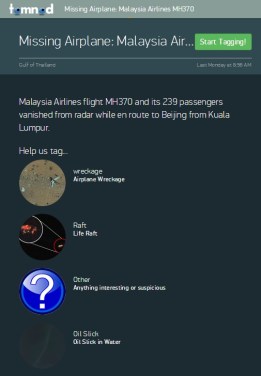
TomNod first made headway back in November during Super Typhoon Haiyan in the Philippines and were soon acquired by Digital Globe; using Digital Globe’s satellite imaging technology, thousands of users from around the world explore real-time maps to solve real-world issues.As of right now, Malaysian  Airlines Flight 370 has been missing from sight, sound and radar since this past Sunday morning.  Until resolved, this event will be the first thing on every flight attendant and pilots mind, an unnerving thought of every conscientious traveler and while every news station, outlet and blog tries to make sense of the calamity.  My first reaction was (and still is) two-fold: (a) I still (at 29) plug my ears while the flight attendants breeze through the security pamphlet; which means the empath inside is shaking in her boots and (b) want to help; somehow, someway.  In the past few years, whenever a global crisis has hit I’ve managed to donate a small bit of what I make; it isn’t much, but it’s more than nothing – and to me, that’s something. So, when my boyfriend leaned over this morning to show me a great way to use, and crowd-source, data – I was all eyes, ears and heart.

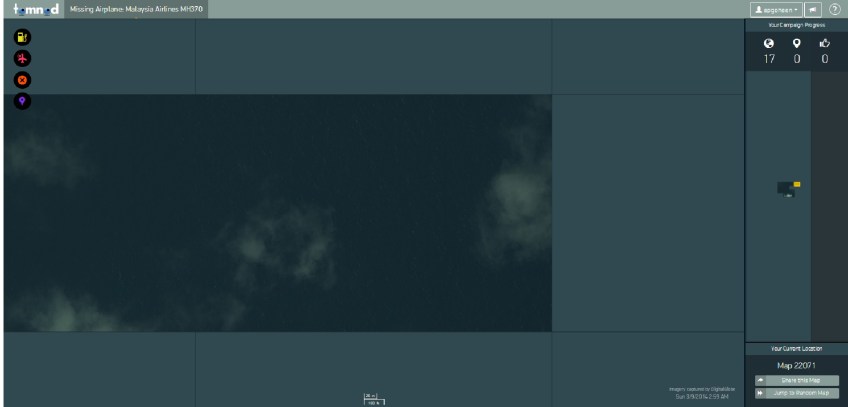
The application is fairly simple – head over to the TomNod page and you’ll get a quick description of the program and a bit of background on the types of anomalies you might come across.  It takes a bit of time to load, but quadrants satellite imagery over the Gulf of Thailand will populate right in front of you.   If you think you’ve found something questionable, click one of the neon stamped circles on the left of your screen.  You’ll then be taken to a new window, where you’ll essentially take your cursor and drop a tag onto the map and don’t forget to add a description.  On the right side of your screen, you’ll see three metrics: the first is the number of quadrants searched, second is how many objects you’ve tagged and finally, how many other sources agree with your tags.  Below, you’ll see a map of how the quadrants you’ve searched stack up in the grand scheme of things.  If you have a few moments to spare, please lend your eyes to the TomNod team and the families of those affected; you never know what kind of a difference you can make until you try.

TomNod2

[Tech Tuesday] 5 Tips and Tricks for the iPhone 5S

Though I wouldn’t say I have a hard time with being wrong, I certainly enjoy being right a lot more frequently – and when it comes to technology, I’ve always felt that I’ve had a keen eye for the latest and greatest toys and gadgets.  For the last five years in Los Angeles, I’ve bounced between LG and HTC Smart Phones – but have consistently run into problems with the OS restarting, and that’s in addition to my contacts being deleted (on multiple occasions).  For the last two years, I’ve been a had an HTC Rezound and what I once found novel, amazing and innovative was suddenly slow, redundant and poorly integrated – especially when compared to my daily use on my former deactivated iPhone 4s that I was using as a Wirelessly enabled PDA.

20140225-155039.jpg

The fact of the matter is that I’m a heavy duty phone user with quick paws and a curious mind, and my Droid simply wasn’t cutting it anymore for my everyday inquiries. For all the reasons and times that I defended my Android in all of it’s customizable glory, the truth is that in the five years that I’ve owned a smart phone I’ve never once decided to root my Droid; in retrospect, I did jailbreak an iPhone or two.  So, when I had the chance to upgrade my phone plan early with Verizon two weeks ago I more than jumped at the chance for something different.  Since then, I’ve managed to migrate from an avid Android activist to a full on iPhone enthusiast – equipped with simple screen shots, emoticons and voice commands.

To make the transition as smooth as possible,  I’ve been scavenging the internet in search of the latest, greatest and most amazing tips and tricks for the 5s and, admittedly, I’ve had a blast doing it.  Without further ado, here are a few of my favorite hacks!

5 Tricks + Tips for the iPhone 5s

      1. Camera: Burst Mode 

There are 3 ways to enter ‘Burst Mode’ – press and hold the shutter key, or either of the volume keys on your phone for a succession of snaps,saved as a burst.  The phone will pick the best of the group to display, but you have to option of browsing through all of them.

      2. Slide iMessages Left for Time-Stamp

For a cleaner look, the time-stamp was eliminated from the standard text message view – however, if you want to reveal what time you sent your last message, simply slide the screen to the left.

      3. Enable Airdrop for Easy File Sharing

When you get to your home screen, slide up for the ‘Toggle’ bar and second from bottom you’ll see a line for ‘Airdrop’ –  you can enable this for your contacts, or anyone in the room with an Apple device.  As a bonus, Airdrop works exceptionally well with the Apple TV device – presenting your iPhone screen on whatever device the ATV is plugged in to.

      4. Customized Alert Vibrations

Not that this was in any way necessary (IMO, at least), but with iOS7 we now have the ability to set customized text, email and alert vibrations – that way, even if your phone’s on silent you’ll be aware of important calls, reminders and meetings.   The phone comes with some standard ones – like ‘Heartbeat’ and ‘S.O.S.’, and below this you have the ability to create your own:  SETTINGS > SOUNDS | Select the Alert | VIBRATION | CREATE NEW VIBRATION

      5. Add an Emoji Keyboard

Okay, granted this isn’t anything novel for past iPhone users – but as an Android user, I was completely amped to finally use some emoticons on Twitter, Instagram and in my text messages.  As with all things iPhone, additional keyboards are easy to add.  Go to the App Store to download something that strikes your fancy, then head to: SETTINGS > GENERAL >  KEYBOARD > KEYBOARDS > ADD NEW KEYBOARD

Last, but not least – I leave you with my new favorite late night habit: Fun with Siri.    Back in the day, when Apple updated their Desktop OS – they’d embed bits of code for the heavy duty computer users to discover that came to be known as ‘Easter Eggs‘ In case you’re not aware, Apple Easter Eggs are to adults what Candy Easter Eggs are to little kids – fun, exciting, and hidden in the most amusing locations.  Unfortunately for tried and true Apple computer fanatics like myself, Steve Jobs did away with the Easter Egg back with OS 9. Thankfully, there are still engineers out in Cupertino that held onto the creative, human aspect of the job and it shows in the most amusing of ways – for example, SIRI.  When I was scavenging the interwebs in search of new and awesome things to do with my 5s, I stumbled upon an amazing Reddit thread with some amazing questions for the

20140225-151534.jpg

20140225-151555.jpg

[The Audiofiles] ‘Listn’ Up, Music Lovers – There’s A New App For You

One of the many amazing benefits to growing up in an excessively digital age, is our constant accessibility to music.  Whether it’s by our choice or not, it feels like our brains are being bombarded by beats on the daily: it’s the hold music on your company conference calls, the muzack playing in the elevators between the floors at the doctors office, your iPod at the gym, the SiriusXM radio in your car, the Spotify app you hooked up to your Facebook account or the occasional stop off on Soundcloud.  Believe you me – I’m not complaining by any means; in fact, if possible I would have an ongoing soundtrack to my life and I would always be in charge of the volume.

Listn’s Dashboard

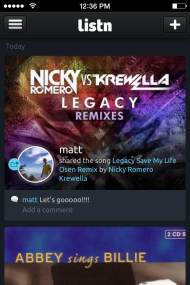
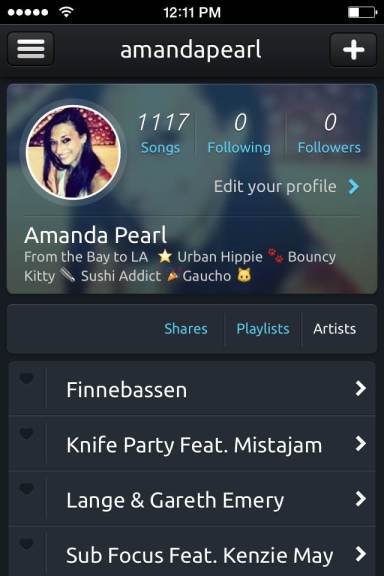
Throughout the years of being expertly plugged into the interwebs, I’ve developed a network of sites that I use to feed my thirst for tunage.  Back in it’s inception, I dove right into Soundrop.fm – which is a great social resource for new music; slowly but surely, all that came from that was a reintegration into Spotify.   I currently dabble in Hypem and Soundcloud when I’m on the prowl for something new, Spotify when I’m curious what my friends are groovin’ to and then the occasional YouTube video for some visual treats.    The only downside to having multiple music platforms is that there hasn’t been a quick or easy way to streamline all of the sites into one. Thankfully, with the growing popularity of websites like Klout that aggregate your social media presence it only makes sense that some group of music loving techies thought to do the same with all of the streaming media around the web.  So, world – meet your new best friend, Listn: a social way to aggregate your audio and find out about the latest and greatest in the music scene.

photoTrust me when I say  – you don’t want to know how many tabs I have open in my browser right now and about a third of them are devoted to the pursuit of music. There are a host of stites that Listn uses to manifest user data, and right now that’s iTunes, Spotify, Hypem, Youtube and Soundcloud. The latest and greatest to addition is Rdio – a website that lets you stream high quality audio for a minimal fee: after 6 months of free listening, $4.99 a month or $9.99 for unlimited listening capabilities. If you’re like me, you’re thinking- WINNER, WINNER, CHICKEN DINNER – and if you’re not, we might want to rethink the future of our relationship.

The brainchild of Montreal’s MFive Labs, Listn is currently being funded through Kickstarter – where creative endeavors (like Apps, Movies, etc) go for funding.  As of right now, they have raised approximately $500,000 and have released the application for free!   Right now the application is only available for the iPhone (le sighso if you’ve been eating your Apple a day, you’re in luck.  As with most everything in life, good apps come in due time for Android.  The iPhones have an essentially seamless interaction between their applications that Android simply doesn’t have yet,  so hopefully there will be a a version that can work with the upcoming Android KitKat 4.4 OS installation in January (fingers crossed).

Listn’s Userpage


[Tech Talk] Apple Unveils new iPads + Free OS

It’s that time of year again! Autumn was ushered in by beautiful LA weather, Pumpkin Spice Lattes have more than taken over the coffee world and Halloween is just around the corner – but that’s not exactly what I’m talking about.

It’s the time of year where our friends at Apple HQ loop in their loyal customer base about their latest and greatest products and projects.  I’ve touched on this a bit in the past, but I’m an Apple girl through and through – well, minus the fact I’ve refused to cave into the iPhone madness for the last few years and love my HTC Droid to pieces – but I digress.   The tech talk started at 11 EST/ 10am PST and is being hosted by the Yerba Buena Center for the Arts Theater up in San Francisco. For loyal customers running iOs4.2 you’ll be able to stream the event in multitudes of ways and if you have Safari 4 or later, the event is being live-streamed right here.  If you care less about talking heads and more about talking points, one of my favorite tech sites – Gizmodo – is live-blogging the event right here.

Now, without further ado – some of the highlights from today’s press event:

Map Updates on OS 10.9 Mavericks

Image thanks to NBC

The New OS 10.9 is called Mavericks. Unlike previous OS X’s – like Mountain Lion, Tiger, Panther, Snow Leopard – this marks the first OS X that isn’t named after a killer cat but instead after a killer wave.  To boot, Mavericks marks the first OS released by Apple that is free (Yes, FREE!) for everyone to update – and it’s available starting today.  This update contains about 200 changes, including but definitely not limited to these arenas – Web Browsing (Safari will show users what their social networks have been reading), Maps with a 3D Flyover view, Notifications, Power Efficiency (To quote the Senior VP Federighi:  “On a 13″ Macbook you’ll get an hour longer web browsing on a single charge.”) and more.

Image thanks to Gizmodo

They also introduced a few new sibling in the iPad family.  First – we have a new iPad Mini! The 16GB iPad Mini 2 finally has a retina display and hosts twice the resolution as the original with 324 pixels per inch and a resolution of 2048 x 1536 for you number ninjas out there.   This makes the iPad Mini 2 a definite contender against the Nexus 7 and the Amazon Kindle Fire HDX.  The iPad Mini 2 is a little on the expensive side – $530 with the works (LTE/WiFi) and $400 for WiFi Only.  The good news?  The old iPad Mini is now only $300; and with Apple – I’ve learned to take what I can get.  Next up,  the iPad air.  It clocks in at approximately 1lb and 9.7″, making it roughly half a pound lighter and much thinner than previous versions.  The CPU inside is two times as fast as the last iPad update – which was twice as fast as the first; the final result? An iPad that’s eight times faster than the original iPad.

Apple’s Mac Pro Core Processor

Last, but certainly not least – let’s take a look at the new Mac + MacBook Pros.  The Mac Pro contains that sexy beast of metal above – Intel’s Xeon E5 Processor with between four and twelve cores.  The Xeon Processor holds 12GB of high performance RAM (GDDR5 if you want to get specific).  As far as graphics are concerned, the Mac Pro runs with an AMD FirePro which means 4k video output. Other specs for the Mac Pro include: 802.11ac Wi-Fi, HDMI, 4 USB Ports, 6 Thunderbolt ports and 2  Ethernet Ports.  Per usual, the Mac Pro will cost a pretty penny – approximately $3000, and is available starting this December.  Then there’s the kid sister laptop version – the MacBook Pro. Much like the Mac Pro, the 13″ and 15″ MacBook Pros boast the latest OS, Thunderbolt ports and the 802.11ac Wi-Fi radio.  The 15″ gets an Intel Pro GPU, a 256 GB Solid State Drive and a 2 Ghz Quad Core Processor with 8GB of Dynamic RAM and runs at $2000.  The kid brother, the new 13′, is less than3 pounds and 3/4 of an inch thick.  Inside, you’ll find a 2.4 Ghz Core i6, 4GB of RAM, a 128GB SSD and an enhanced retina display.  It runs at about $1300 and both models – the 13″ and 15″ Mac Book Pros – ship today!

What are your chances of splurging on any one of their new products?

“Here’s to the crazy ones. The misfits. The rebels. The troublemakers. The round pegs in the square holes. The ones who see things differently. They’re not fond of rules. And they have no respect for the status quo. You can quote them, disagree with them, glorify or vilify them. About the only thing you can’t do is ignore them. Because they change things. They push the human race forward. And while some may see them as the crazy ones, we see genius. Because the people who are crazy enough to think they can change the world, are the ones who do.” 
― Apple Inc.