
Being born in the crux of the 1980’s – December of 1984, to be precise – places me in the precarious position where I remember life before the internet, but have all the benefits of life in the post-technological boom era. I’ve seen televisions get slimmer and longer, watched as phones lost their umbilical cords, observed the evolution of VHS as it forayed into Super VHS, Laser Disks, and then eventually to DVD, Ultra HD, Blu Ray and now 4K; my Sony walkman was upgraded to a disc player, then an mp3 player, an iPod and now I can basically play music from my refrigerator. And then, last but most certainly not least: the cell phone. What was at one point an electronic brick that had the basic operations of a fancy calculator, has eventually evolved into an electronic ‘blob’ that’s acquired all the functions of literally anything else you could keep in your office or wallet besides your ID card, like calendars, notepads, a Rolodex, books, your credit cards, maps, DSLR cameras, video games, movies, foreign language dictionaries….the list could go on and on.
When the intellectual power of the world can fit in the palm of your hand, it sounds almost anachronistic to think that there’s a phone application out there whose only goal is to get you off your phone, and back into the moment – but thankfully, there is – and let me tell you, it works. But let’s take a step back for a second and understand what leads to people being stuck on their phones.
For the most part, your cell phone is like the fridge: you open your cell phone in the morning because your brain is hungry for information, and your phone puts it at the ends of your fingertips. Drowsy from strange dreams and famished for facts, you eagerly ingest anything your phone gives you – only it’s the fast food of information, not a lot of substance, and definitely not filling. So, every hour or so, you open it – hoping there’s new food there, forgetting it’s the same fridge you ate from earlier – same shit, new timestamp. 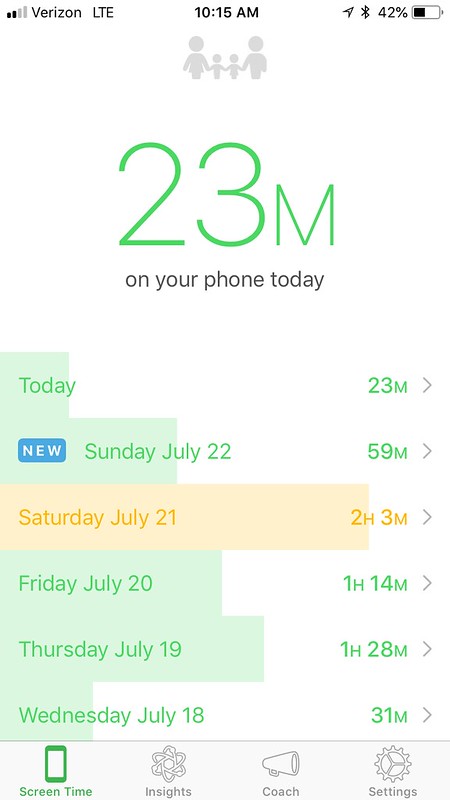
Not to throw myself under the digital bus, but out of all my friends – I’d say I’m the most addicted to my phone. I’m sure it’s somewhere in my genes, but my parents and grandparents have been large influences in the terms of technological revolution, so I’m not surprised that I had an affliction for information, and a hearty addiction to my phone. My personal irony, is I first found out about moment through a friend’s
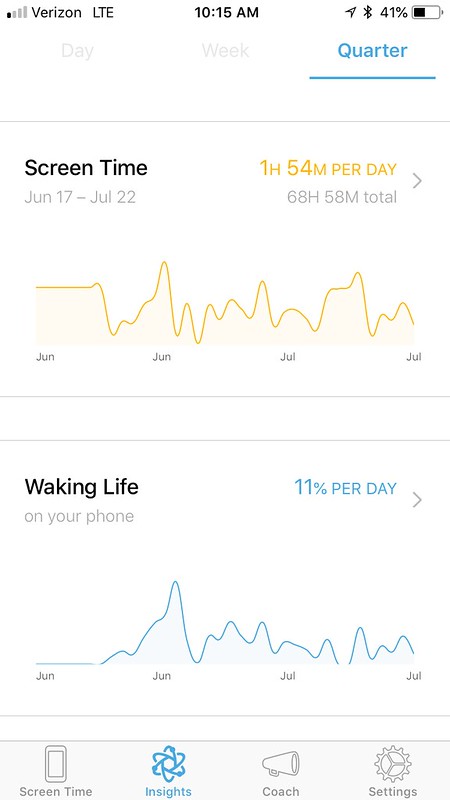
Instagram story, where they’d posted screen shots of how much time they used to spend on their phone versus how much time they spend after using the application; I was sold, immediately.
Moment, created by Kevin Holesh, is a saucy little minx; silently and invisibly running in the back of your phone, unless you ask for alerts, that is.. You feed it screen shots of your application use, and it lets you know how you’re fairing by cataloging your total use, including use by specific applications.
After observing myself for a few days, I decided to enlist in the free 7 day boot camp, Bored & Brilliant, which is a great introduction into getting off your phone and back to reality; shortly after I bit the bullet and got the Pro version, and did the 14 day boot camp. I’ll be honest, I’m actually on my second iteration of it because I really need the practice of leaving my phone alone. The boot camps walk you through 21 essential tasks that will curb your enthusiasm for your digital reality and replace it with tangible moments, from not taking your phone into the bathroom, to cleaning up your home screen to remove all social apps, turning off your notifications and actually calling the people you love. Through the app, I have small reminders on my phone to let me know, in 20 minute intervals, how long I’ve spent and I’m a huge fan of their ‘No Screen Time’ alarm: I set mine for 7-9pm at night, and it literally annoys me into putting my phone face down with a loud reminder every time I engage it.
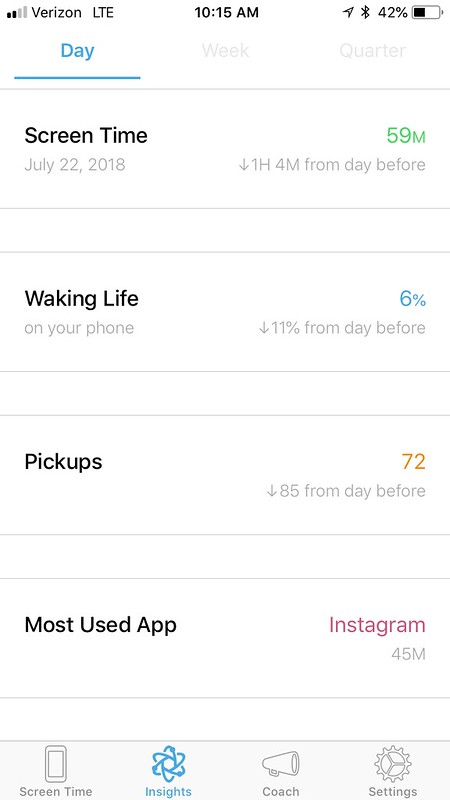
When I started using the application, I was on my phone up to three hours a day – now, it’s rare if I break an hour. Plus, over the last three weeks, I’ve gone to sleep earlier, woken up without anxiety, spent more time with my cats, finished more books, had more fun conversations with friends, shared my time with my husband and have been overall immensely happier than before. I’ve not only recommended the application to all my friends, but I’ve gone as far as downloading it on both my dad and Danny’s phones.
To download Moment for the iPhone yourself – head here! For you Android users, cue the sad violins but there isn’t currently an application for you – good news though: there’s a signup to get notified the second it’s available on multiple platforms. For more on the applications genesis, and how it can help you take your life back – head to their website.
What do you do to curb your cell phone addiction and what tips do you have for others wishing to do the same?

 Thank goodness one of the two swipe screens is for the Camera. The other side screen is your widgets – instead of being a pull down screen from the top, they’re now a lot more accessible.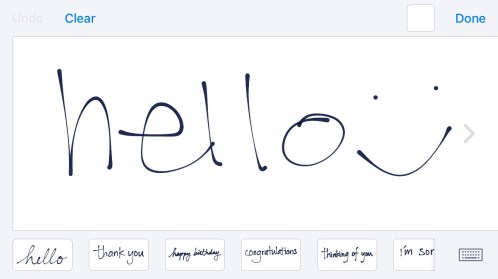

 wrap up a weekend, pay your respects to a group of friends or simply embarrass just one on their birthday; and let me tell you, there are a ridiculous amount of applications that simply aren’t as seamless. Just off the top of my head, there’s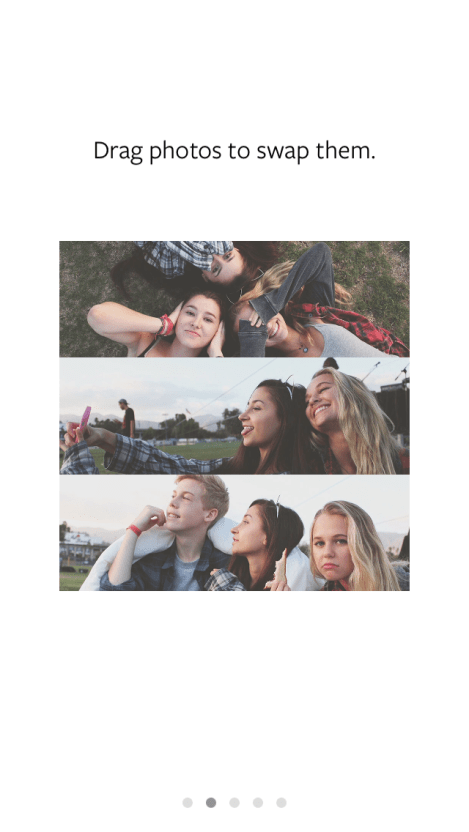


 optioned to leave the basketball team – I happily, and swiftly, replaced my basketball scrimmages with choir practices and reciting lines for the school musical. Looking back, it’s almost comical how life’s trajectory can change velocity in a heartbeat. Not to mention, this was right around the time when Napster came into play.
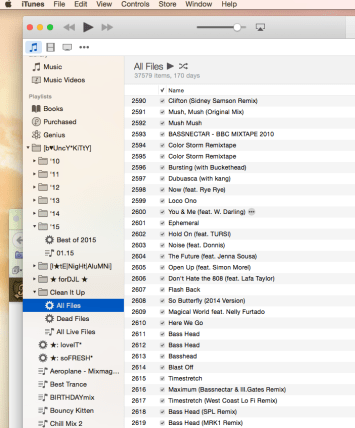
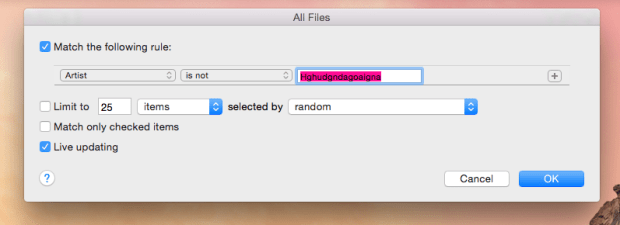 The more I played around with iTunes and sought some solice online, I found an incredibly helpful hint: If you’re dragging a group of songs out of a Smart Playlist and into a regular playlist, iTunes will automatically eliminate all files it can’t locate. That said, let’s tackle the easy playlist – the Static Playlist. Think of this playlist as a bucket; a helpful, musical bucket where we’re going to be moving our files to. Label it ‘All Live Files’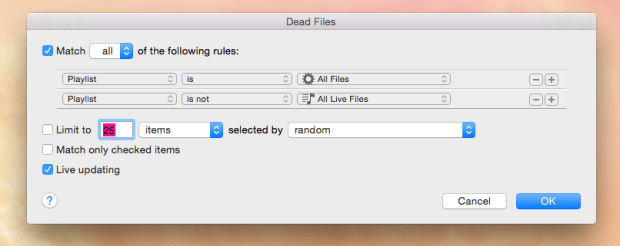
 This could take a few minutes, especially if you’ve got a large library, so go open a cold brew, sit back and let your Smart Playlists do the work. When you get back to your tracks, you should see a pretty folder with no warning flags – and a populated “Dead Files” folder. Go to the “Dead Files”, highlight everything – right click and scroll down to delete. Voila; a cleaned up iTunes Library!






 The Bouncy Kitty
You must be logged in to post a comment.