[Tech Talk] Feel The Bass With SubPac’s M2

12295449_788575931289242_3728932540131743448_n.jpg

An electric rumble that started in the base of my skull is propelled forward, pulsing into my veins as frequencies are projected throughout my entire body.  Goosebumps overwhelm every inch of my skin as an amused grin creeps across my face.  Every nuanced note and each rhythmic rumble, from the smallest synths to blossoming batches of booming bass, encased the world around me.

With my eyes closed, I become the pulse of the dance floor.  It’s only when they open again that I’m rudely reminded that I’m not marinating in the music and mayhem of Coachella’s Sahara tent, bouncing around a world class nightclub like Avalon in Hollywood or entrenched in Drum and Bass at Shambhala‘s Village; instead, I’m dancing by myself with my headphones on in the middle of my living room, gleefully rocking a high-tech vest that feels like it came right out of Tron, only it’s the the latest and greatest in high tech, wearable tactile bass systems.

SubPac_M2_MBack.jpg

Launching just this past October, the patent pending SubPac M2 is the latest and greatest in wearable tactile bass systems, gifting users a fully immersive, auditory experience that parallels the live experience on a grand scale while silencing the world around you. Featuring plug and play controls, a Bluetooth receiver, a high capacity rechargeable battery and a slimmer control box, the M2 is made for movement, allowing the wearer to dance the way they feel – and let me tell you, you’re about to feel some kind of way.

Currently used by industry leaders and international taste makers within the music industry, SubPac has more application than music creation, audio testing and pure enjoyment.  SubPac’s technology was integrated in the Virtual Reality enhanced premiere of Jurassic World as well as the “Fractal” concept car designed by Amon Tobin.  The brand also offers a 21st century approach to hearing lost, tinnitus and deafness, finding use at this year’s Rock in Rio festival in Brazil where the SubPac’s campaign granted the hearing impaired a boost of bass. While the human ear can only hear to down to a minimum of 20hz, the body can receive the rest as vibrations through your bones, and the SubPac can make you feel frequencies as low as 5hz – dishing out layers in favorite songs that you might not have known existed otherwise.

 “We are on a mission to introduce the physical dimension of music and sound to the world.   With the SubPac M2, we have created the most immersive wearable audio experience to date. Anyone can now experience audio the way the creator intended – full immersion, anywhere, anytime.”

–  John Alexiou, SubPac CEO and co-founder

SUBPAC M2 TECH SPECS                      

  • Frequency Response: 5hz-130hz
  • Wired Input: 3.5mm stereo
  • Headphone Out: 3.5mm stereo
  • Wireless Input: Bluetooth 4.0 with A2DP Streaming
  • Charger: 15V 1.6A 24W
  • Charging cable: Intl IEC-c7
  • Rechargeable Battery: 10.8V, 2300mAh Li-ion battery // 6+ hours a charge
  • Dimensions: 17” x 12” x 1.5” // 43cm x 30cm x 4cm)
  • Weight (including battery): 4.8lbs // 2.2kg

SubPac_M2_FFront.jpg

The Wearable M2 and Seatback S2 are available for order now from SubPac’s website here.

With their patent-pending new wave audio technology, the Los Angeles based SubPac by StudioFeed is changing the game – one low frequency at a time.

For the latest and greatest in all things SubPac, head to their site and socials –

Website | Facebook | Twitter  | YouTube

[Traveling Tales] The Best iOS Apps For Roadtrips

From the second I got my first car at 17, I realized that curves are for hugging, being on the road is physically cathartic and that the shortest distance between two points is me in my car with the windows down and music up.  Though I’ve developed a map-titude over the ages, I’m constantly praising the cell phone gods that smart phones exist and that developers are willing to share their genius with us.  From directions to attractions, a place to lay your head and places to explore – I’ve found a good set of phone apps that have you covered. Just remember – whatever you’re trying to do, wherever you’re trying to go: there’s a better way, and there’s definitely an app for that.

Lodging. 

Make sure you’ve got a birds eye view into one if not more, of the following apps so you can get a comfortable roof over your head for pennies on the dollar.  My personal favorite is AirBnb, especially because you can snag an entire domicile for an incredibly low rate – or just a single room if you’re flying solo or traveling with your best friend or significant other.  HomeAway and VRBO are great resources if you’ve got a larger group in tow, while CheapTickets can find you a discounted hotel room in milliseconds.

So Much Room For Activities. 

One of my favorite things about road trips is that they can take you wherever your little heart desires – want to head to the beach and cruise the coast? Do it!  Or how about a detour through the desert or a romp near the river?  A road trip is the quintessential choose your own adventure experience and you’re the captain.  Sometimes, it just takes a wish and a will to find something novel – but if you’d like a little assistance, download Roadtrippers for a nifty guide around your location and it’s comprehensive for the entire United States.  After signing up, you can save and share travel routes, not to mention a look into a broad range of activities within a close proximity to your travel path plus the net value of gas for your trip.

Find Yourself

If you’re an iPhone user and you’re trying to get anywhere important, or just find a specific location in general –  do yourself a favor and stop using Apple Maps.  Seriously.  Download Google Maps and Waze immediately, sit back and enjoy the seamless integration and easier to use directions that don’t lead you into the ocean, or into a dead end.

Stay organized.

I don’t know about you, but I love lists – sometimes I even have lists of lists, others I’ll purposely put a few things on it that I’ve done that day so I can instantly feel the struckout satisfaction of what’s been accomplished. But for some reason, When it comes to buckling down and actually packing for a trip I always tend to forget the little things.  So a few years ago, I made a master list and saved it to my hard drive; when I got sick of referencing it – I tossed it up into a list on Evernote.  A great alternative to a bulky Google Doc, Evernote provides a simple forum for staying on task and on top of your life.

What are your tricks of the trade when it comes to traveling?

Let me know in the comments below!

[Tech Talk] Instagram adds Collage Maker ‘Layout’ to its Arsenal of Apps

If a picture can speak a thousand words, then over the past few years Instagram has become an anthology of the modern personality.  From adorable pictures of animals to decadent, delicious meals, the latest and greatest in fashion and music and let’s not forget the exponential amount of selfies, Instagram has made a monumental name for itself in the world of smart phone applications; doubly so once they were acquired by Facebook.As the iPhone upgraded it’s photo and video services, the application paralleled in kind – offering up Hyperlapse as a keen alternative to the iOS’s native time lapse video recording services. Back when it was rolled out, this was incredibly important since any iPhone TimeLapse would invariably be converted to a real time video once it was loaded into Instagram.

I don’t know about you guys, but between cats and concerts – I happen to use a ton of collages, there a wonderful way to wrap up a weekend, pay your respects to a group of friends or simply embarrass just one on their birthday; and let me tell you, there are a ridiculous amount of applications that simply aren’t as seamless. Just off the top of my head, there’s PicStitch, PicCollage, InstaCollage and my typical go-to PhotoGrid. I’m a huge fan of the PhotoGrid because unlike the others it doesn’t have an irritating watermark, you can pick your pictures before your layout, there’s tons of structured – and free form – grids to choose from and you can adjust the color of the grid itself, using any pigmentation you want – even another image.  In all honesty, it was only a matter of time before Instagram reached out and adjusted for the needs of their market.
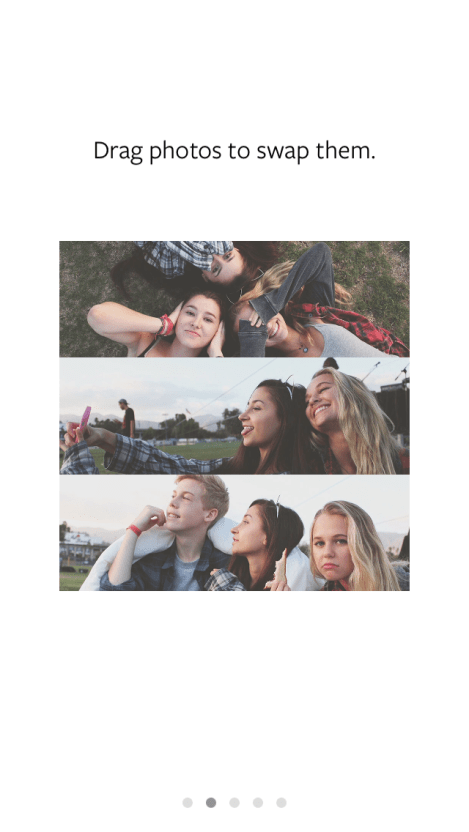
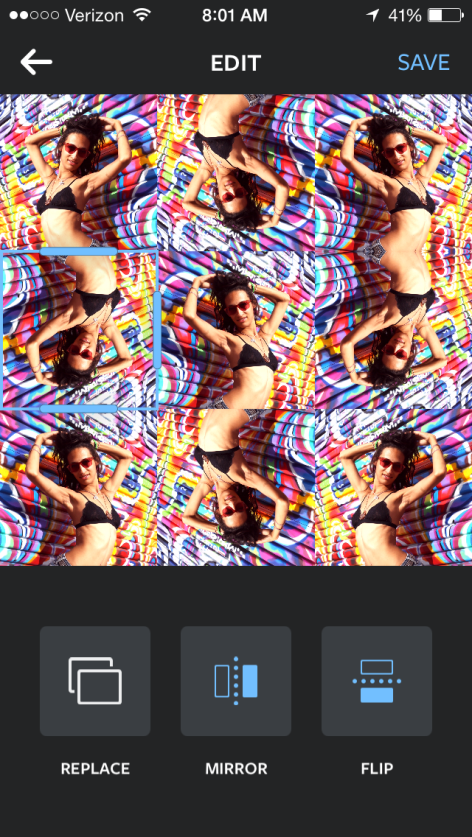
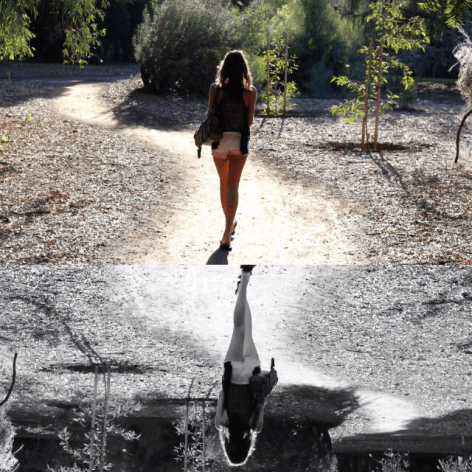
For anyone who’s been perusing their iOS App Store as of late, Instagram has added a third application to their photography arsenal just yesterday morning. Introducing Layout – a simple, clean application perfect for any and all of your photo collage-ing needs.  It doesn’t have all the bells and whistles of ‘heart’ or ‘star’ shaped layouts, but it does offer up a tab to just view the pictures with ‘Faces’ on your camera roll and suggests layouts as you select your favorite images. Once you’ve chosen a set layout, you can mirror, rotate, flip, push and pull on your images – showcasing your favorite features and hiding the rest.  So far, the app is only available in the Apple Store, but hopefully it’ll be rolled out to Android soon!

For those of you who haven’t played around with it, let me show you how it all goes down!


Show me some of your collage-creations!

[Tech Tuesday] Electrify Your Life with Glow Headphones

Music is a multidimensional expression of sound, and while we primarily use our ears to translate tracks into an emotional menagerie of feelings, we perceive it with all of our senses. We can feel the bass rumble through our soul and sense the sound vibrations rushing past our skin, tasting the excitement of a live set in an almost palpable fashion. I don’t usually gush and ogle over headphones, but then again – it’s not everyday that a pair like this crosses my path. It’s true that we can’t necessarily wear our music on our sleeves, less for an iPod Shuffle, but as it turns out – we can now sport it throughout our headphones thanks to Glow.

Implementing smart phone technology from companies like Google, Corning, Android and Knowles – Glow is pushing the boundaries of the next generation of ergonomic headphones, crafting the first smart headphones, glowing to your beat with fiber optic lasers in red, green or blue. Currently, Glow is just a little over a week into their Kickstarter Project – meaning you have the opportunity to help awesome things happen.

At this moment, the current functionalities of Glow are relegated to Android phones (sorry Apple devotees!). Some basic features will still be available through the 5-way hand held controller. Essentially a remote for your headphones, you’ll be able to snap pictures, take calls and work with basic music applications like Pandora or Spotify. Eventually, if enough backers matriculate – as a stretch goal, they’ll build in the technology to pulse to your heartbeat. But for now, that’s just a pipe dream.
If this is right up your musical alley, head to their Kickstarter Campaign or Website to learn more.

[Tech Talk] The Best Photo Editing Apps for The iPhone

IMG_1967
When it comes to camera, photography and picture editing applications for the iPhone and Android (sorry, Blackberry…) there’s a menagerie of good ones to choose from; so much so, that it might seem overwhelming at times – at least, it has to me. Fortunately for y’all, I have an affinity for apps and a growing love of photo editing. When I start playing around with elements in a picture (Saturation, Contrast, Hue, Tone, Temperature, Vibrance, etc) I have one of two goals. To either make the picture look exactly the way I saw it with my own two eyes, or -conversely – to manipulate the image into something otherworldly and fantastical. My favorite part of the later is to make the unimaginable and unreal both visible and accessible to everyone that so much as glances at it.

Though I’ve technically only had an iPhone since last February, I’ve been using my dad’s deactivated iPhones as ‘Glorified iPods’ for the last three years in conjunction with my varied and beloved HTC Android models. Technically, that means I ‘ve been horsing around on photo editing applications just as long as the next iPhone addict. There are a few apps that I was first introduced to on my Droid, that bless their beautifully coded hearts exist in duplicate in the App Store and Google’s Play Store; when they do, I’ll be sure to point them out. Truth be told, I’m always interested in the latest and greatest apps to see how they stack up against my tried and true go-to gadgets. Some were recommended by friends, others I’ve been lucky enough to snag during an ‘App of the Week’ deal and the residuals – well, they’re just worth it. Without further ado, let’s get to know these awesome, and essentially effortless, editing tools while I use them on some of my favorite snaps.

RePix

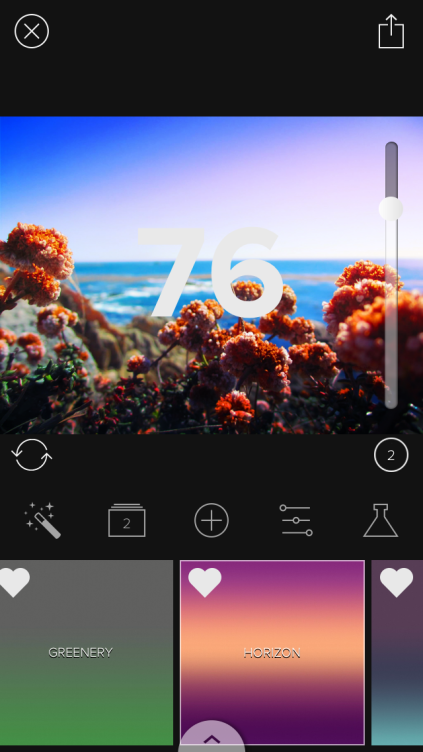
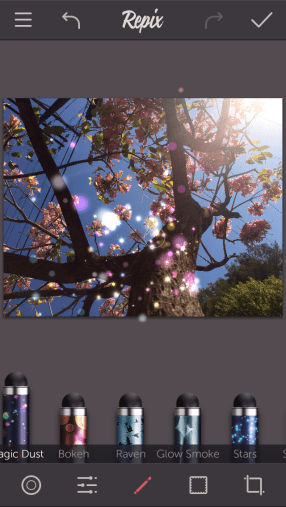
A quick fix of an editing app – with great built in presets and easy to use metrics to toggle, it’s fun to edit pics and watch them transform right in front of you. But beyond simple touch ups, you can add flares, bokeh, “magic dust”, crackle effects and more! A great beginners app to getting creative on some pics.

IMG_1948.PNG

Fragment

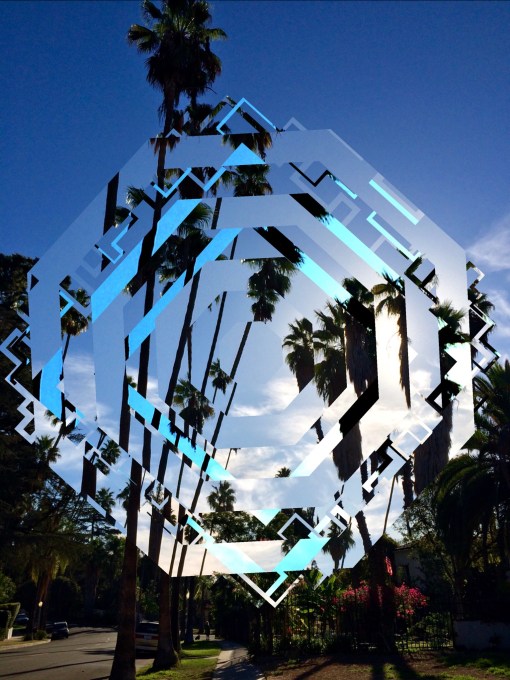
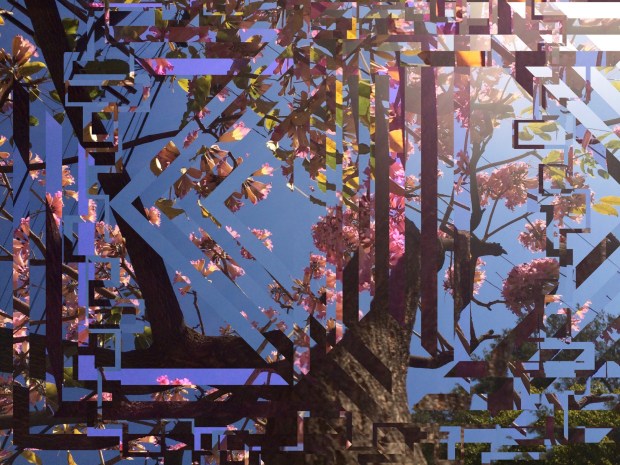
The most fun I’ve had with an app in forever! Currently, Fragment is an ‘App of the Week’ over in the Apple Store so go head and treat yoself to a copy. At a basic level, you’re overlaying and intertwining fragmented parts of the picture on top of itself – the results are spectacular.

IMG_1923

IMG_1831

Mextures

Mextures comes with built in filters that you can layer over your images – color fades, grains and blending modes; and it contains fun presets for when you just want to play around.

IMG_1959

KaleidaCam

For those times you just want to be a trippy kitty, this is the purrrrrfect adventure of an app. You can use your camera and snap a pic in app to use, or you can use a pre-existing image on your photo roll and the app will fractal the image around itself and look, well, like a kaleidoscope! There are add ons if you really get into it but the free version is great.

IMG_1966

PixlrExpress (Android Version)

I first fell in lust with this editing app on my Android; there are a few different variations and I’m super happy that there’s a version made for the iPhone. You can do it all – tint editing, filters, color burns, adding galaxies and changing the focus of the picture. A great all around editing app.

IMG_1964.PNG

SquareFX

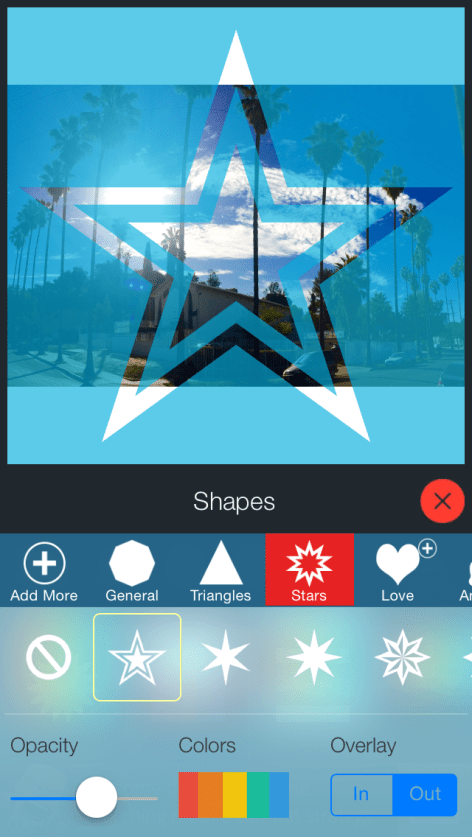
Because let’s face it, we all love Instagram and it would help if the pictures would just fit on their own. With SquareFX, you can pick the outline of your picture – hearts, stars, circles and geometric shapes, the opacity of the background and the color of the background itself.

IMG_1952.PNG

FilterStorm

All encompassing editing app for beginners to expert level; highly recommend the iPad version because it’s just that awesome. When you’re editing a picture, the image gets split in half so you can really see what changes you’re making to the original.

IMG_1953.PNG

Roll World

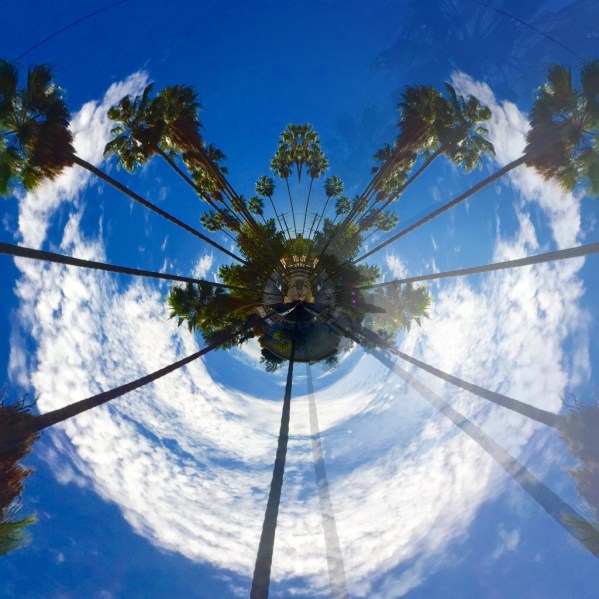
Back when I had my HTC, I was in love with ‘Globe Photo‘ – so when I found an equivalent in the App Store, I was stoked.  Roll World takes the two ends of your picture and stitches them together to make ‘worlds’!

IMG_1965.JPG

Sketch Guru

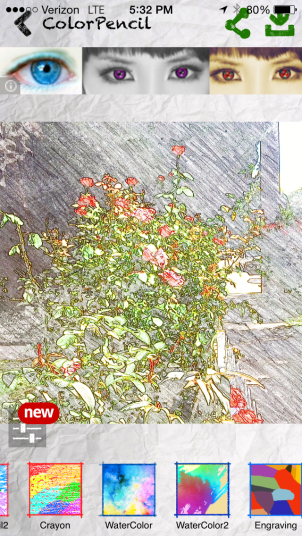
If you’ve got the insane idea that you’d like to transform a photo into a chalk scribble, a penciled out doodle or in neon lights – this is your savior. You can literally transform a picture into dozens of other media right before your eyes.

IMG_1968.PNG

Over

For those times that you need or want to add some delightful, and colorful, text to your pictures: Over is your man. From flirty to childish, typewriter to serif, the stock version comes with heaps of fonts to choose from and for just a dollar or two extra you can buy awesome add-on packs.


[Tech Talk] Don’t Believe The Hype: Why You Don’t Need the New iPhone


iphone side by side
When I moved toLos Angeles in the Summer of 2008, I was diving headfirst into high fashion modeling with my handy, dandy HTC clutched close in my hands.  Back in the day, I really didn’t think twice about having an Apple Phone simply because I couldn’t get over the idea that it was just a glorified iPod that could make phone calls (fast forward 6 years, and one could still make a similar argument). I’d ebb and flow out of photo shoots and as my eyes devoured the clothing; and I’d sit there while wondering to myself – what the hell does ‘fashion season’ mean?  Do I really need to care…? And, when is my standard outfit of flip flops, cutoff shorts and a solid tank ever going to be “in”?  After grumbling through internal dialogues and flipping through alternative fashion magazines a la Nylon and websites like Nasty Gal, Urban OG and Tobi – I finally had my fashion epiphany: Nothing is in; personal style is King (or, Queen if you will)Fashion seasons, though seemingly novel and a great time to ooh and aah at fringe, frill and fine fabrics that you’ll probably never want to clean in a standard washing machine.  They’re great for inspiration – with bold color combinations, novel pairings, a passionate pattern affinity towards Paisley, or Plaid – but at the end of the day, what’s tried and true, and you, is the best fashion there is.

The worlds of High Fashion and High Tech don’t seem to have much in common.  Sure, you can sift though you can find their wares everywhere from glossy magazine pages and blogs to towering Billboards and Mall Stores.  You could still sit here and argue their inherent differences, but at the end of the day their products both possess certain elements of classic style – sleek, sexy, built to fit the human form.   And they the newest varieties both come with a conditional statement that newer is obviously better; what you have is old – outdated – passe – out of style.  But, is it, really?  

Between social and digital media, as the American public we’re constantly and equally bombarded by the ‘Haves’ and ‘Have Nots’ of modern society.  Items that are supposedly ‘Newer’, ‘Better’, ‘Faster’ either because they don’t exist in grandiose quantity, or they simply can’t be afforded.  I had the luxury of helping a photographer during the LA Leg of the Mercedes-Benz Fashion Week back in 2008 and beyond my basic quandary  of who the hell any designer besides Christian Audigier was, I found the overall upscale fashion from the designers to be as far out of my taste as it was from my price range.  There were designers that were fun to ogle, but at the end of the weekend I wanted to get back to the basics of being me, and that doesn’t come with a hefty price tag.

For the past few years, Christmas has seemingly come early for loyal Apple enthusiasts.  They wind lines around corners for hours, anxiously waiting to get their paws all over the ‘next best thing.’  In this case, that’s the iPhone 6.  It’s now been a week since the phone has jumped off of shelves and into the pockets (…and assorted microwaves…) of loyal smart phone users around the country.  I didn’t make the leap to the iPhone until this past February, so being a new convert – this is Apple’s first iPhone announcement that I’ve really been invested in. And for the first time in a long time, there are almost as many physical changes as there are internal chances to the hardware, operating system and cameras.

One thing my parents always taught me was “if it ain’t broke, don’t fix it” and Tim Cook might’ve done good mind to that mantra.  Yes, the new iPhone 6 has a faster A8 processor than it’s iPhone predecessors (the 5s with the A7, 5c with an A6), but it’s a feature that will only matter if you’re a hardcore phone gamer (which seems slightly strange, but whatever) or you use your phone to track fitness.  Truth be told, the only truly outdated phone after this round of updates and upgrades is the iPhone 4S; you may as well just consider it an iPod at this point. The new 6 and 6+ might be thinner, but they’re also taller, wider and heavier; I like my phone as is – because it fits nicely in my pocket.  Unless the fashion industry bends as a novelty to the market to create wider pocketed jeans that the phone won’t slip out of – I don’t think the next model (when ever the hell it comes out) will be quite as grandiose.

Screen shot 2014-09-24 at 8.57.33 AM

As far as the Cellular and Wireless capabilities are concerned – each of these acts like a ‘phone’ identically.   As far as the iOS8 update – everyone can do it (Model 5) and up.  Also, HTC called, and they want their ergonomics back; I swear, Apple is starting to run more and more like the Android systems I left behind months ago.   The standout physical difference to me is the new Retina HD camera on the 6 and 6s – blogger  took the difference one step further and took the same picture with each version of the iPhone; the results are stunning!

My bottom line – unless you’ve held this model and it truly excites you, I’d stick with what you have.  There’s nothing exceptionally fabulous about the new 6 and 6s that make me want to run to the store and purchase one right now, but I’m definitely still excited that I made the switch to Apple this year; I love the functionality of the phone and have been enjoying a bug-free upgrade (though, a few friends have been randomly seeing a Spotlight search when they clicked on an app.) Hardware wise, all the iPhones from the 5 on use lightning USB cables to charge, and unless you plan on talking with your best friend for literally hours – you don’t need the extra standby time. In case you’re still undecided, I’ve got the specs in some handy dandy spreadsheets – see how the phones stack up for yourself before making the upgrade.

Spec 6+ 6 5S 5C
Resolution 1920 x 1080 – HD 1134 x 750 – HD 1136 x 640 1136 x 640
Screen Size 5.5″ Diagonal 4.7″ Diagonal 4″ Diagonal 4″ Diagonal
Height 6.22″ 5.44″ 4.87″ 4.90″
Width 3.06″ 2.64″ 2.31″ 2.33″
Depth .28″ .27″ .30″ .35″
Weight 6.07 oz 4.55 oz 3.95 oz 4.65 oz
Processor A8 Chip 64bit A8 Chip 64bit A7 64bit A6
Motion CoProcessor M8 M8 M7
Wireless Faster LTE Wireless Faster LTE Wireless LTE Wireless LTE Wireless
Operating System IOS 8 IOS 8 IOS 8 IOS 8
Colors Silver, Gold, Space Gray Silver, Gold, Space Gray Silver, Gold, Space Gray Yellow, Blue, Pink, Green, White
Talk Time Up to 24 Hrs on 3G Up to 14 Hrs on 3G Up to 10 Hrs on 3G Up to 10 Hrs on 3G
Standby Time Up to 16 Days Up to 10 Days Up to 10 Days Up to 10 Days
Internet Use 12 hrs on 3G, 12 hrs on LTE, 12 hrs on Wifi 10 hrs on 3G, 10 hrs on LTE, 11 hrs on Wifi 8 hrs on 3G, 10 hrs on LTE, 10 hrs on Wifi 8 hrs on 3G, 10 hrs on LTE, 10 hrs on Wifi
Video Playback Up to 14 Hrs Up to 11 Hrs Up to 10 Hrs Up to 10 Hrs
Audio Playback Up to 80 Hrs Up to 50 Hrs Up to 40 Hrs Up to 40 Hrs
Camera 6+ 6 5S 5C
Auto Focus Yes, With Focus Pixels Yes, With Focus Pixels Yes Yes
iSight Camera New 8MP New 8MP 8MP 8MP
Aperture  ƒ/2.2 aperture ƒ/2.2 aperture ƒ/2.2 aperture ƒ/2.4 aperture
Stabilization Optical + Auto image stabilization Auto image stabilization Auto image stabilization
Flash True Tone flash True Tone flash True Tone flash LED flash
HDR Auto HDR for photos Auto HDR for photos Auto HDR for photos HDR for photos
Panoramic Yes; up to 43 megapixels) Yes; up to 43 megapixels) Yes Yes
Burst Capable Burst mode Burst mode Burst mode

Also, for the record:

Size to Price (from Apple.com) 6+ 6 5S 5C
8GB Free
16 GB $299 $299 $99
32 GB $249
64 GB $399 $299
128 GB $499 $399

Ps. These are jokes; but…you don’t have to tell your friends that 😉

apple wave, iphone 6